Taking 1-Bit Artwork to A1 and Bigger Without It Turning to Mud
A 1-bit file has no midtones to interpolate, so stretching it to A1 either blocks the dots or blurs them into grey. The fix is to go back to the source, set…
01/ ARTICLE
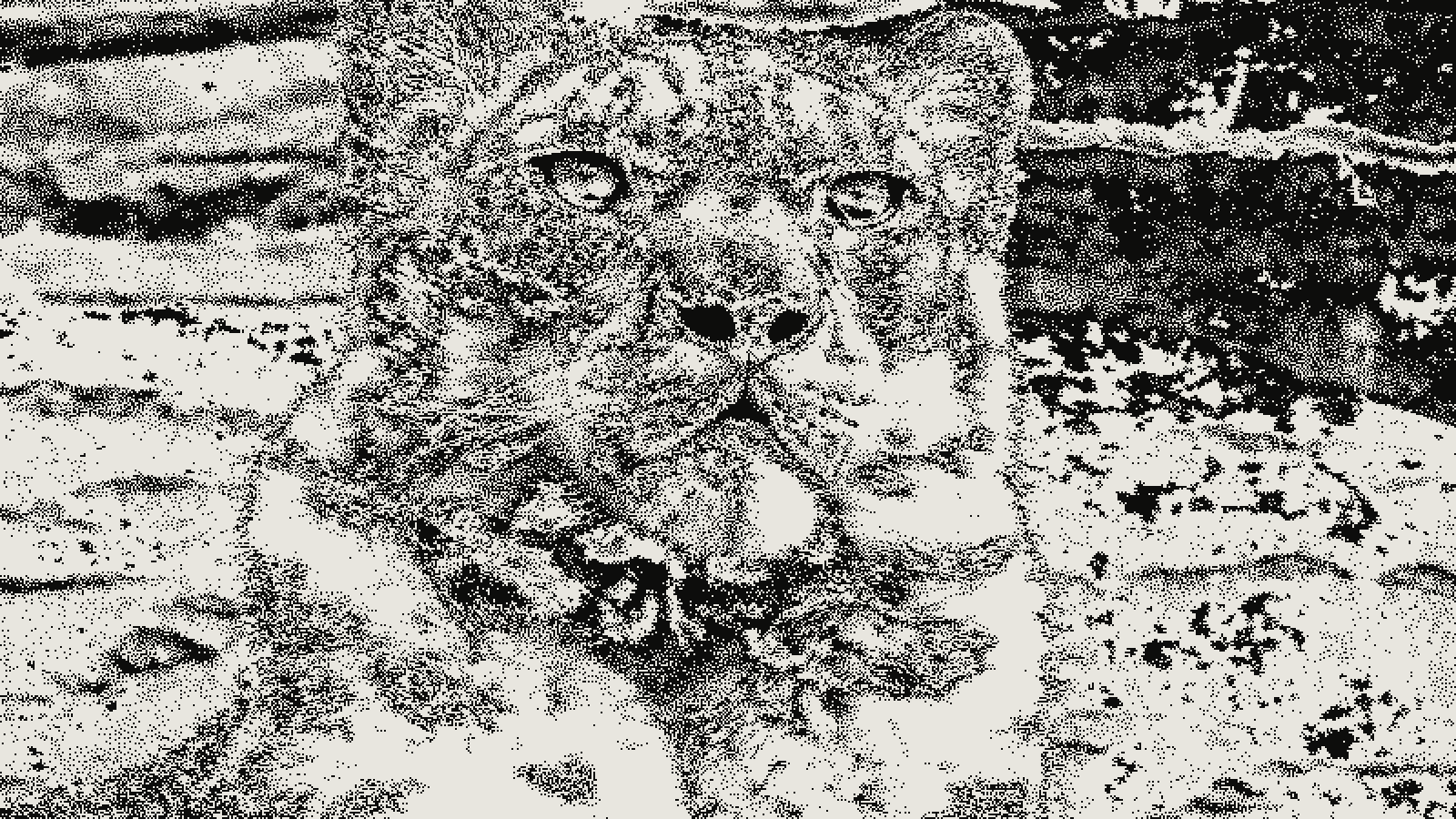 subject: snow leopard · look: atkinson · threshold 0.50 · 2px · Image made with kott.io
Why does scaling a 1-bit bitmap turn it to mud?
Because a 1-bit image has no midtone to interpolate. 1-bit dithering is the reduction of an image to pure black and white pixels, with tone carried only by how densely the black dots are packed. Scale that bitmap after the fact and every resampling method fails in its own way, and none of them is fixable with a better setting. Nearest-neighbor samples pixel centers with no interpolation, so it blocks the dot pattern into uneven chunks. Bilinear or bicubic smoothing averages black and white neighbors into grey values, which the format was built to avoid. That grey haze is the mud you're trying to avoid.
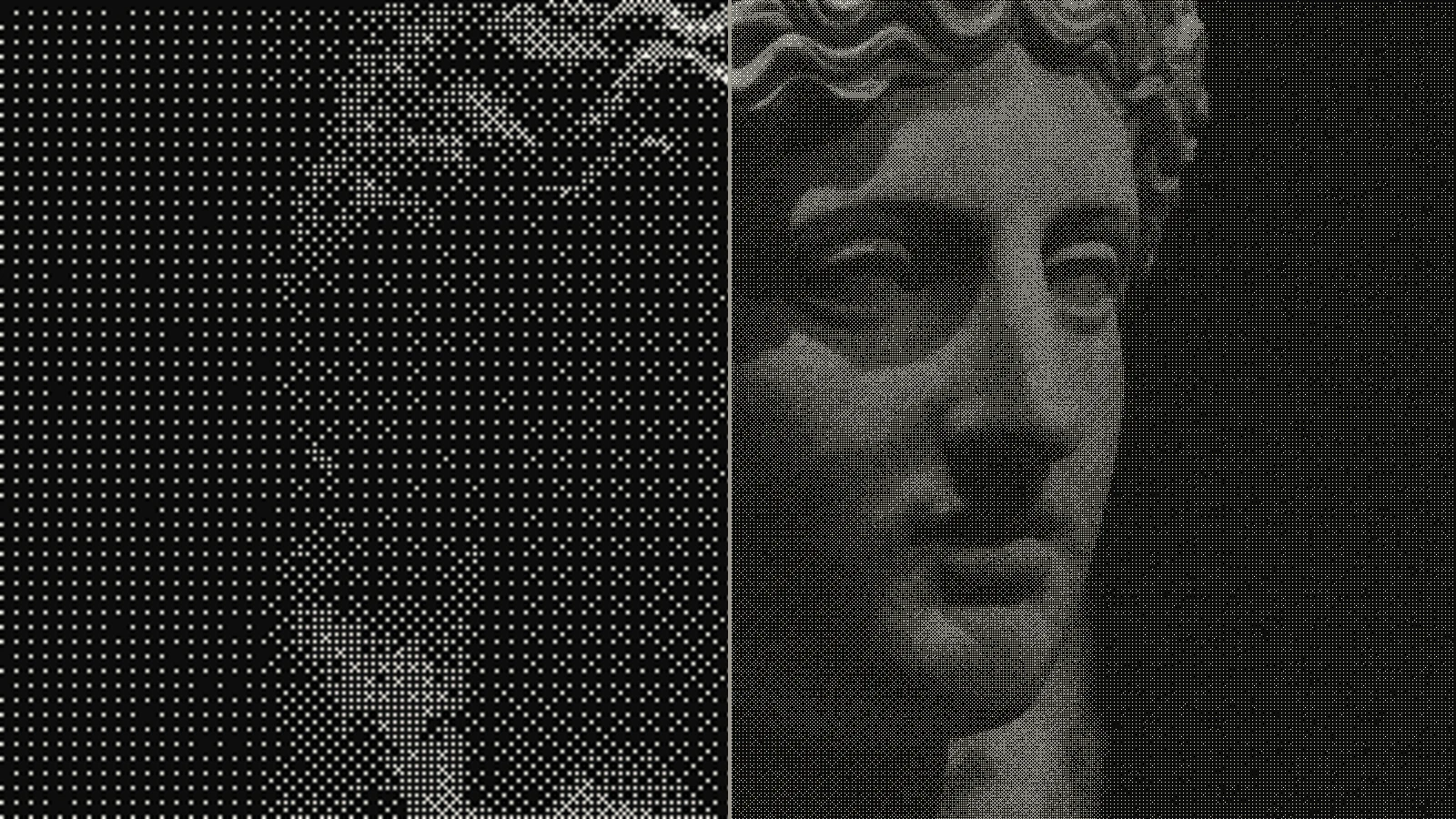 subject: greek statue · look: bayer · 8x8 matrix · threshold 0.50 · 1px · left: dithered at 400x224 then bicubic-upscaled to 1600x900 · right: dithered at 1600x900 · Image made with kott.io
The processing order documented by the ditherto tool makes the rule explicit: resize, then exposure, then contrast, then dither. Resampling happens before quantization, never after, because dithering has to run on the final pixel grid.
There is also a hard ceiling on detail. One open issue on a portrait asset describes a 1-bit image that was a 4x Scale2x upscale of a 56 x 52 pixel source bitmap. Nothing downstream can add detail the original low-resolution dither never had, so the proposed fix was to re-derive the 1-bit image from a higher-resolution source. If you've been through preparing a 1-bit file for risograph, the same lesson applies here at ten times the size: keep the continuous-tone source, treat the 1-bit file as an output.
How do you re-render a 1-bit image at A1 size?
Decide the final pixel grid first, resample the source to it, then dither once. Never stretch the 1-bit result.
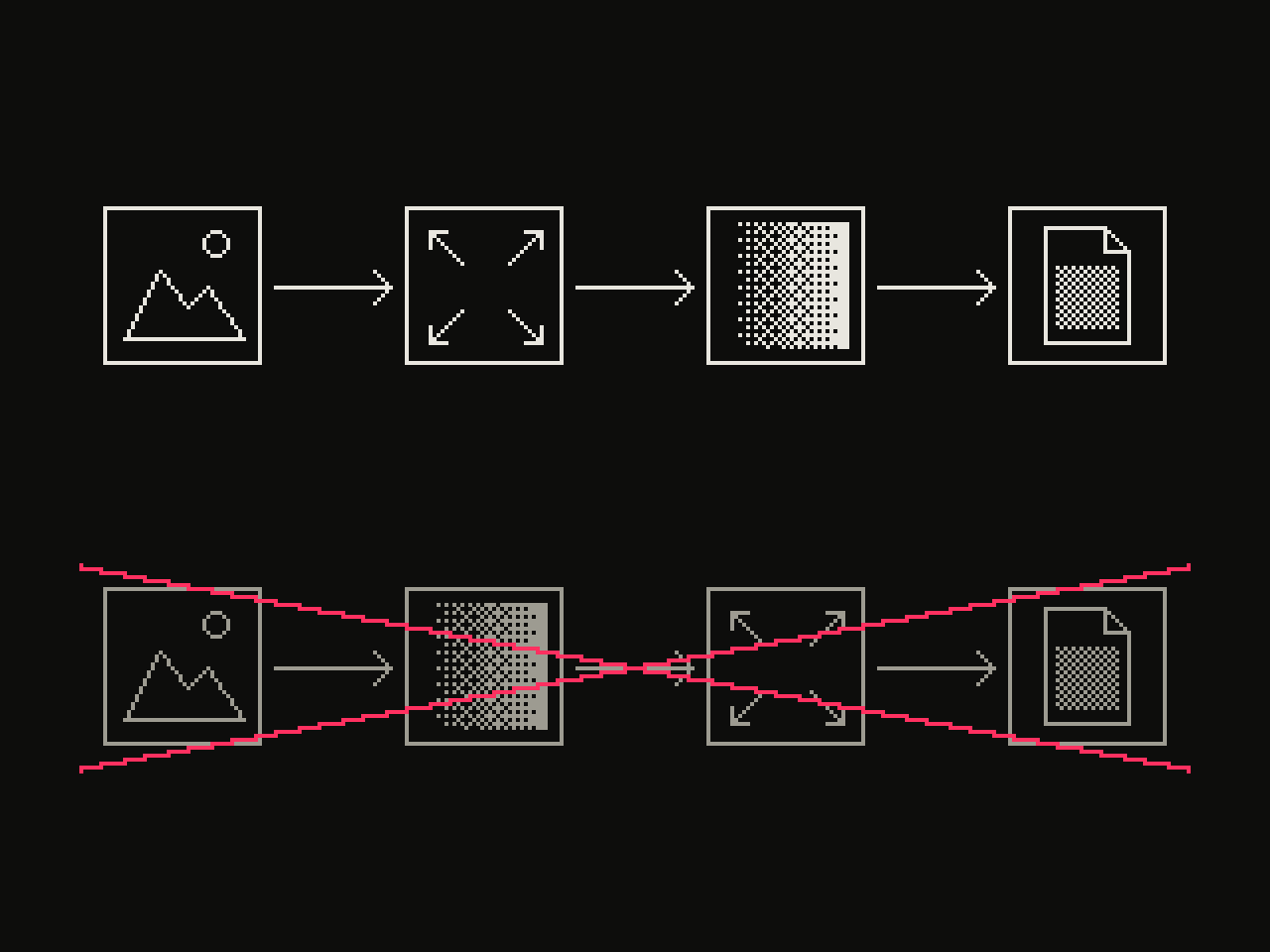 diagram · left to right: source, resize, dither, output; below, crossed out: source, dither, resize, output · seed 118003
- Find the original continuous-tone image, not the dithered export. It needs real detail for the target size. A 1,200 px wide photo will not carry an A1 print however you dither it.
- Choose the output dpi from viewing distance (next section) and multiply by the print size in inches to get pixel dimensions.
- Resample the source to those dimensions. For photographs, ditherto defaults to area resampling, which integrates each destination pixel's source footprint and keeps detail before the palette is reduced. Nearest-neighbor is its default for hard-edged art.
- Apply exposure and contrast adjustments, then run the dither at that size.
- Export lossless and send it at 100% scale.
If you only have the 1-bit file and no source, the honest answer is to redraw or re-source it. The first dither threw that information away, and you can't get it back. When you do have the source, load it in the kott studio, set the dither on the full-size grid, and check the result at 100% before sending it anywhere.
What resolution does 1-bit artwork need at A1?
It depends on how far away people stand, not on a fixed number. Design One Printing gives about 1 dpi per foot of viewing distance as the minimum, with these bands:
| Viewing distance | Recommended dpi | A1 pixels (594 x 841 mm) | A0 pixels (841 x 1189 mm) |
|---|---|---|---|
| 10-15 ft (close interaction) | 100-150 | about 2,340 x 3,310 to 3,510 x 4,970 | about 3,310 x 4,680 to 4,970 x 7,020 |
| 15-30 ft (typical floor) | 75-100 | about 1,750 x 2,480 to 2,340 x 3,310 | about 2,480 x 3,510 to 3,310 x 4,680 |
| 30+ ft (exterior) | 50-75 | about 1,170 x 1,660 to 1,750 x 2,480 | about 1,650 x 2,340 to 2,480 x 3,510 |
The pixel columns are my arithmetic from the sheet sizes (A1 is 23.4 x 33.1 inches, A0 is 33.1 x 46.8) multiplied by each dpi, rounded. The distance bands come from the source and are written for banners and signage. A poster read at arm's length is closer than any of them, so for A1 prints that people will walk up to, work from the top of the range, 150 dpi.
The reason low numbers work is in the DPI versus PPI distinction: the same pixel count printed larger just has a lower pixel density, and the eye at distance does not resolve it. Design One's own wording is that going from 300 to 150 dpi halves the file size with no visible loss when viewing distance matches.
The printer isn't the limit. Inkjets resolve roughly 300-720 dpi, so the ceiling for 1-bit detail is the source you dither from.
How big should the dither cell be at A1?
Think in output pixels first, then physical size. At 100 dpi one pixel is 0.254 mm; at 150 dpi it is about 0.17 mm. A 2-pixel cell at 100 dpi is therefore about 0.5 mm on the wall, which reads as texture up close and as tone from a few steps back.
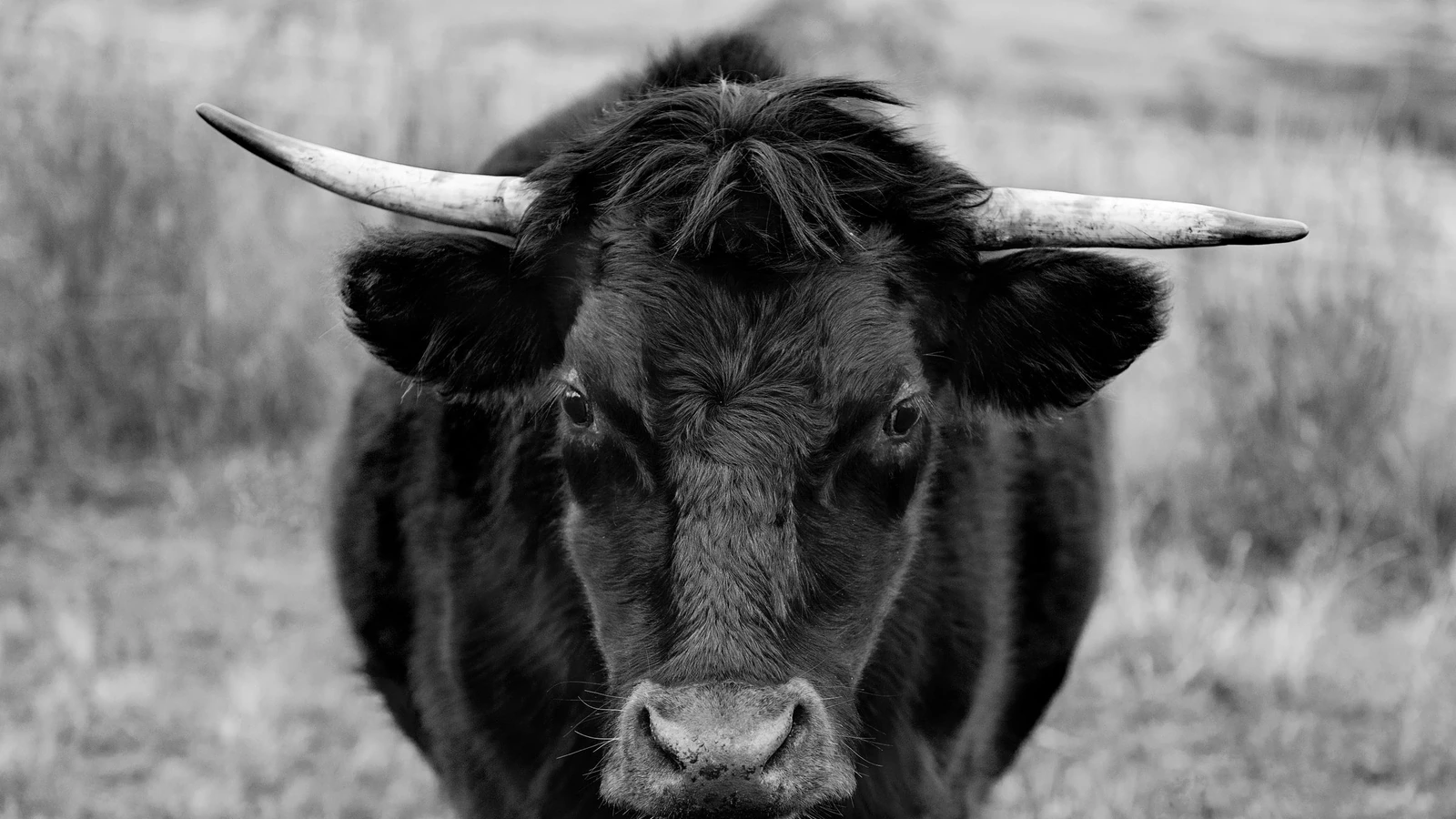
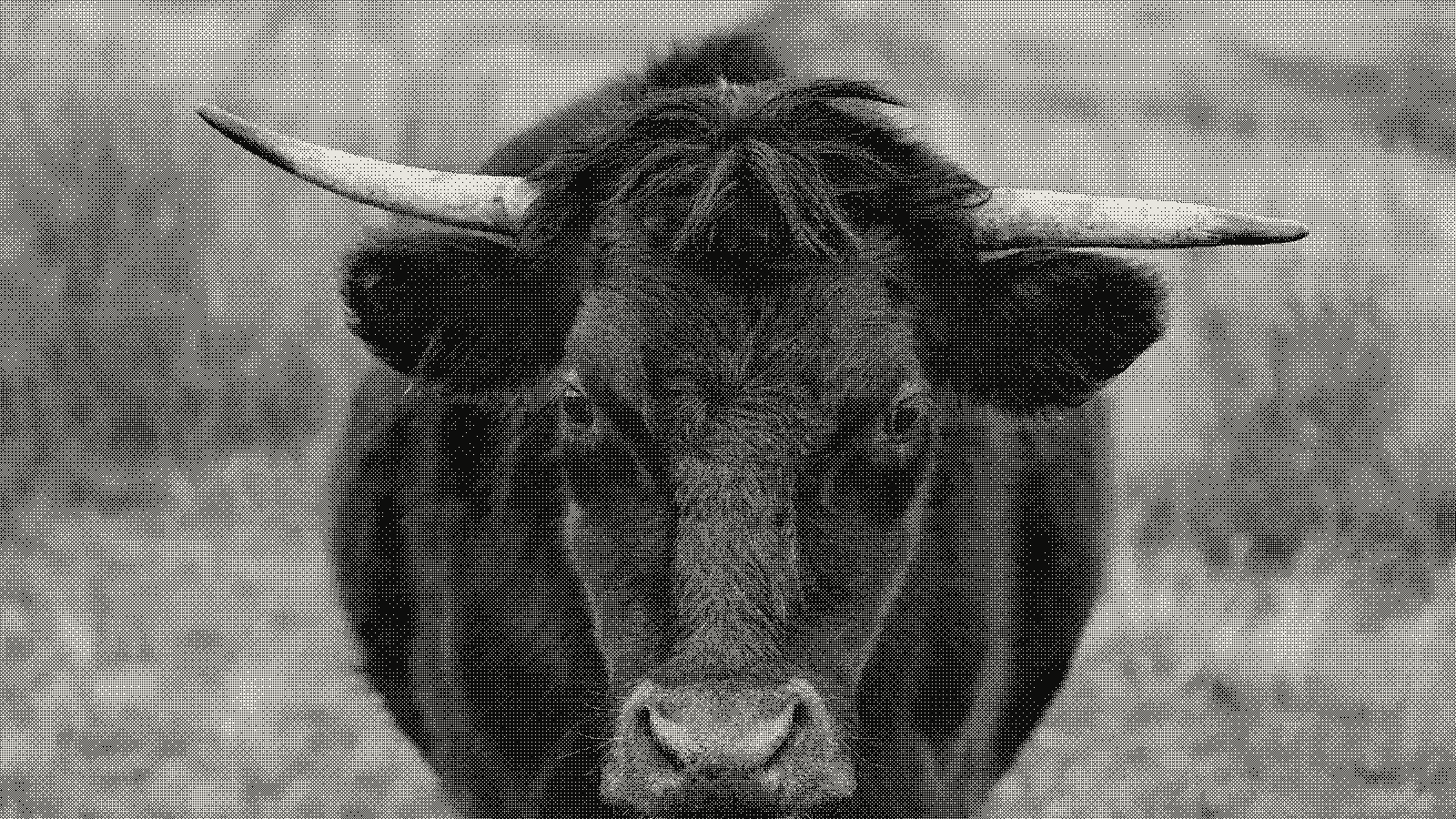 subject: bull · look: bayer · 8x8 matrix · threshold 0.50 · 1px · first image: the source, second: the render · Image made with kott.io
Match the cell to the distance rather than carrying over the setting from your screen file. A pattern tuned at 2 px on a 1,000 px wide preview will look far finer when the same 2 px lands on a 3,500 px wide A1 grid, because the pixel is now a smaller fraction of the image. Scale the cell or matrix up if you want the same visible grain. For threshold-matrix dithers, the 4x4 versus 8x8 Bayer matrix comparison shows how pattern size changes the look. Before committing the full sheet, print a small test crop at the final grid at 100% and judge it from your real viewing distance.
How should you export a 1-bit file for the printer?
Lossless, at the final pixel dimensions, with no scaling downstream. Use PNG or TIFF. Avoid JPEG, which smears hard black-white edges and adds grey noise, as covered in why dithered images break under JPEG. Turn off any "fit to page" or resample option in the print dialog or RIP so the file is printed at the size you built it for. If the print shop asks for 300 dpi, ask whether they want that for a reason, since the table above shows lower values are enough at distance; if they insist, re-render the dither at that grid rather than upscaling the file you made.
What is the short version?
Keep the continuous-tone source. Choose the dpi from how far away people will stand. Resample first, dither once at the final grid, export lossless. A 1-bit file has nothing to interpolate, so every scaling shortcut costs you the dots.
Frequently Asked Questions
What resolution should 1-bit artwork be for an A1 print?
Set it by viewing distance, not a fixed number. The rule of thumb is about 1 dpi per foot of viewing distance as the minimum, which gives 100-150 dpi at 10-15 feet. Pick the dpi, work out the pixel grid for A1 (594 x 841 mm), and dither at that size.
Can I just upscale my existing 1-bit PNG to A1?
Not cleanly. Nearest-neighbor scaling blocks the dots into uneven chunks, and smooth filters such as bilinear or bicubic turn the black and white pixels into grey values the format was meant to avoid. Go back to the source image and dither again at output size.
Do large-format printers limit how much 1-bit detail I can print?
Rarely. Inkjet printers resolve roughly 300-720 dpi, which is far above what viewing distance requires at A1 and larger. The ceiling is the detail in the source you dither from.
Is dpi the same as ppi?
No. Ppi is the pixel density of the file; dpi is the number of dots the printer physically places per inch. The same pixel count printed larger simply has a lower ppi, which is why big prints tolerate low-resolution files.
Images in this article were made with kott.io.
02/ OUT
Every setting described above is a real control. Open your own image and sweep it.
All journal entries