The Game Boy Camera Filter: Four Greens, 128x112 and the Dither Behind Them
The Game Boy Camera look is a 128x112 image quantised to four grey levels with ordered dithering, then shown through four greens. Here is the order of…
01/ ARTICLE
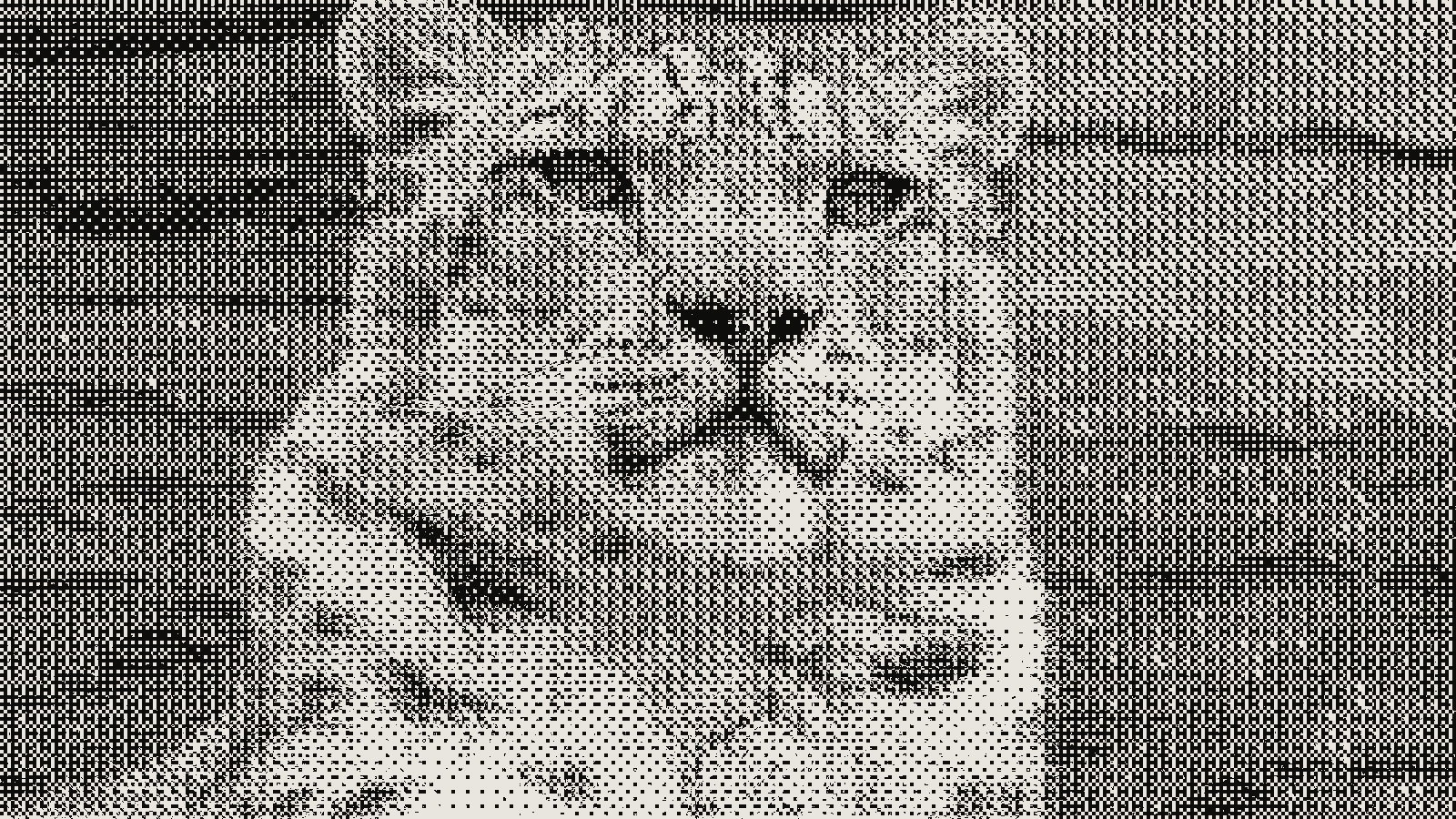 subject: snow leopard · look: bayer · 4x4 matrix · threshold 0.50 · 4px · Image made with kott.io
What is the Game Boy Camera look?
The Game Boy Camera look is a 128x112 pixel image reduced to four grey levels with ordered dithering, then displayed through four greens. It comes from a tiny frame, 2 bits per pixel and a fixed threshold pattern.
Game Boy Camera dithering is ordered dithering that quantises each pixel to one of four 2-bit levels using a repeating threshold matrix. The sensor reads 128x128 pixels, but the top and bottom rows are corrupted, so the controller keeps only the middle 112. That gives the 128x112 frame. The camera shipped in 1998 and stores the result as four shades, with an edge enhancement option in the sensor that adds a faint dark outline around objects.
How does the camera turn a photo into four shades?
Contrast and gamma come first. The threshold pattern follows. Neither involves colour. webgbcam, a web emulation of the camera, lays the pipeline out in order: grayscale, gamma and contrast arithmetic, a Bayer offset per pixel, quantise to four levels, then a palette swap.
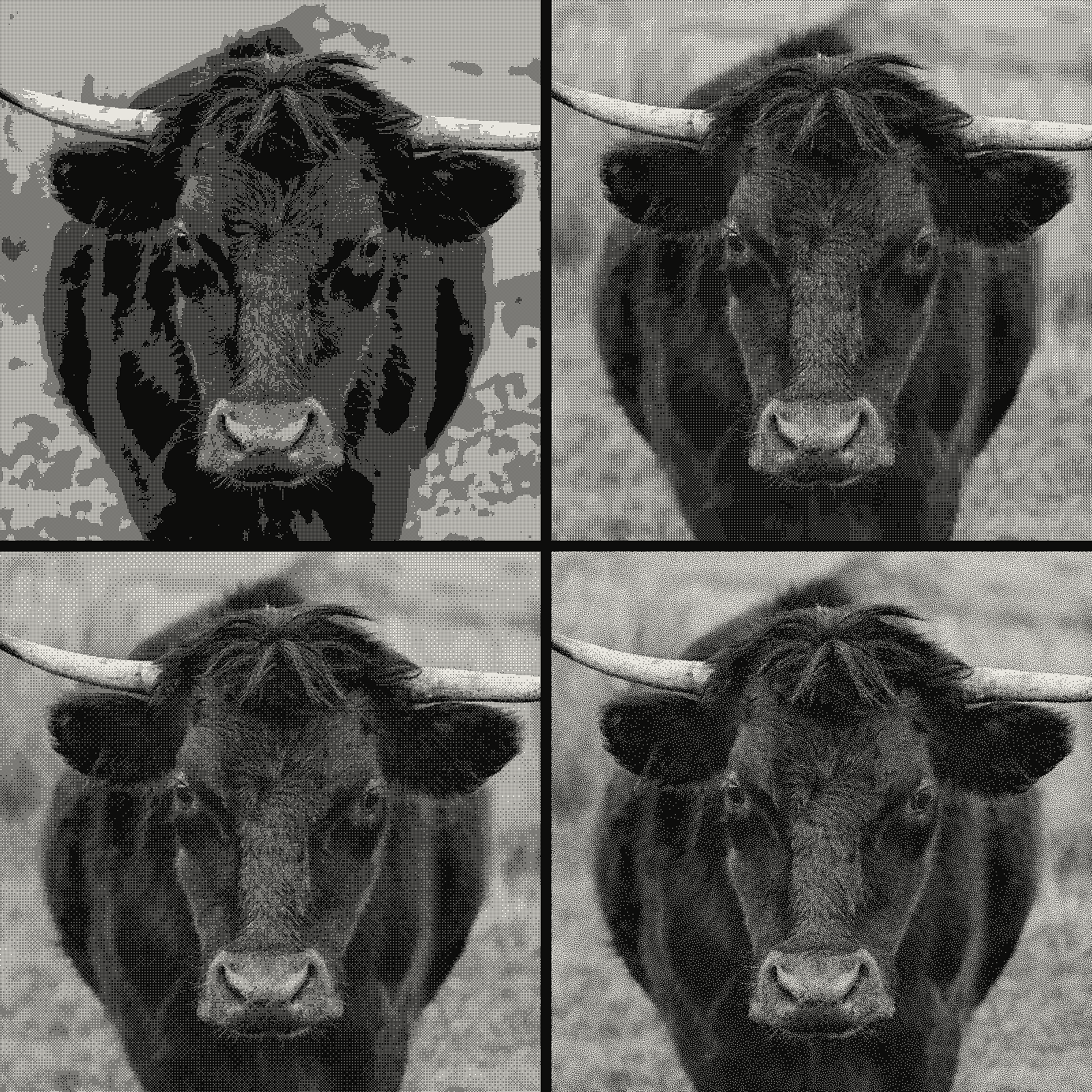 subject: bull · look: bayer · threshold 0.50 · 1px · reading order: 2x2 matrix / 4x4 matrix / 8x8 matrix / blue noise matrix · Image made with kott.io
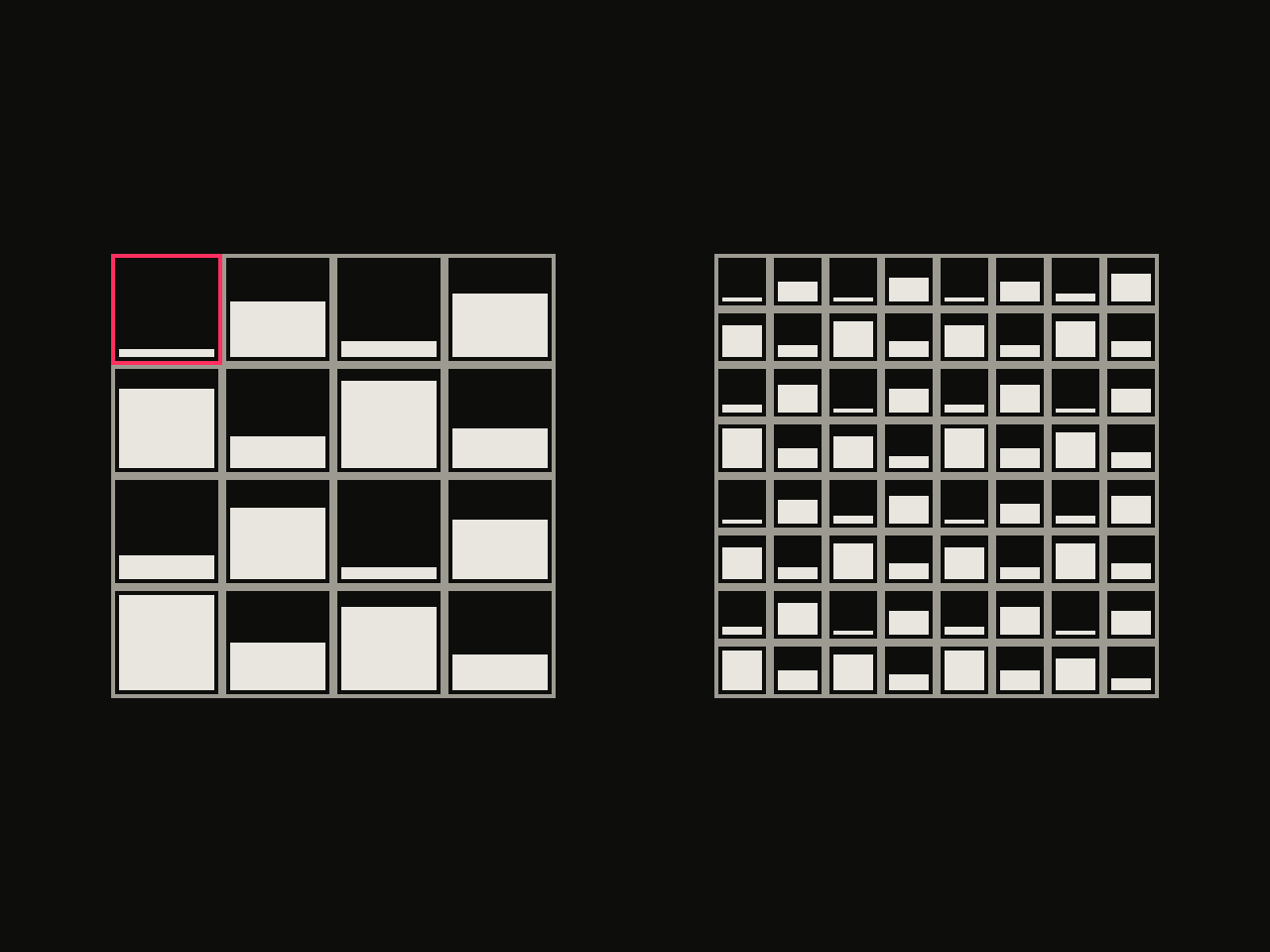 diagram · 4x4 and 8x8 Bayer threshold matrices; bar height is each cell's threshold rank; outlined cell: the first threshold · seed 14
Gamma and contrast
webgbcam normalises each pixel to 0-1, then applies (v - 0.5) * contrast + 0.5 and raises the result to gamma. Its sliders step through gamma values of 2.5, 2, 1.5, 1, 0.8, 0.6 and 0.4, and contrast values of 0.6, 0.9, 1.2, 1.5, 1.8, 2.1 and 2.4. Gamma 1 with contrast 1.5 is the fourth stop on both sliders, a sensible place to start.
Threshold offset and quantise
In the emulation, each pixel is nudged by its matrix value: c = c + (bayer - 32) * ditherFactor, then round(c / 64) is clamped to 0-3 and multiplied by 64. That leaves exactly four grey values: 0, 64, 128 and 192. The matrix is 8x8, with values 0 to 63.
The hardware is different. The real camera holds a 4x4 matrix with three thresholds per cell, one threshold for each step between the four output levels. An 8x8 Bayer matrix gets you close, not a bit-exact copy. To see how the matrix size changes the pattern, the 4x4 vs 8x8 Bayer matrix comparison shows both on one source. Hackaday's write-up of the camera makes the same point: ordered dithering is what turns ordinary pictures into 2-bit pixel art.
Which four greens make the Game Boy palette?
The capture is grey. Green arrives in the last step, a palette swap that maps each of the four levels to a colour. The commonly listed set of Game Boy greens is below, darkest to lightest.
| Level | Grey after quantise | Hex | RGB |
|---|---|---|---|
| 0 (darkest) | 0 | #0F380F | 15, 56, 15 |
| 1 | 64 | #306230 | 48, 98, 48 |
| 2 | 128 | #8BAC0F | 139, 172, 15 |
| 3 (lightest) | 192 | #9BBC0F | 155, 188, 15 |
These hex codes are a community convention for the original screen look. They are not read from the camera, and webgbcam itself ships other palettes, for example a pink and cream one starting at #00303B. Swap any four colours in and the structure of the image does not change, because the dither happened earlier.
Note that 192 is the top level, not 255. The lightest green is the white point of the image, so an area that was pure white in the source lands on #9BBC0F.
Why does skin turn into one flat green band?
Four levels leave little room, and a face sits in a narrow slice of the brightness range. If most of a face falls between two of the 64-step buckets, the Bayer pattern has little to dither between and the result reads as one or two flat greens with a scatter of dots at the edges. That's what you get when you quantise without a contrast pass. It follows from the arithmetic above, so test it on your own portrait instead of trusting a preset.
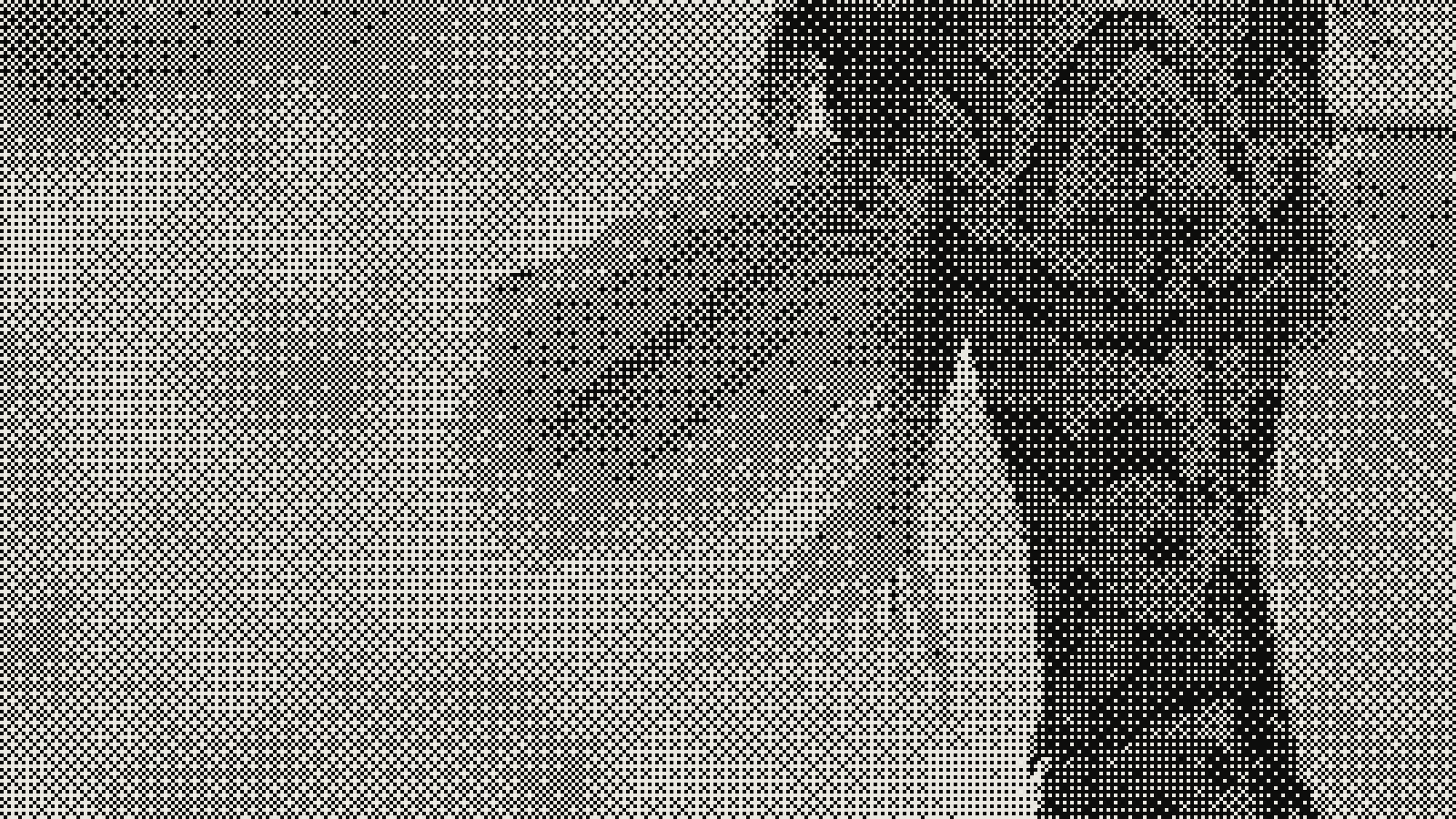 subject: mandarin fish · look: bayer · 8x8 matrix · threshold 0.50 · 1px · centre crop enlarged 4x, nearest-neighbour · Image made with kott.io
Two fixes follow from the pipeline:
- Raise contrast before quantising. The
(v - 0.5) * contrast + 0.5step stretches the middle of the range, which spreads face tones across more of the four buckets. - Resize to 128x112 before dithering, not after. If you dither at full size and then shrink, resampling averages the dots into grey and the pattern is gone. For the same reason, save the result as PNG, since dithered images break under JPEG.
What do I need to reproduce the look?
Work in this order. Each step feeds the next.
- Crop the source to an 8:7 aspect ratio and resize to 128x112.
- Convert to grayscale.
- Apply contrast and gamma. Start at contrast 1.5 and gamma 1, then adjust until faces fill at least three of the four levels.
- Add a Bayer threshold offset, 8x8 for the emulation or 4x4 for something nearer the hardware.
- Quantise to four levels.
- Map the four levels to #0F380F, #306230, #8BAC0F and #9BBC0F.
- Scale up by a whole number, such as 4x or 6x, using nearest-neighbour so pixels stay square.
The two-tone cousin of this look is the 1-bit Macintosh look. It runs the same logic with two levels instead of four.
You can run steps 4 to 6 in the kott® studio by choosing a Bayer matrix and loading your own four-colour palette.
Conclusion
Resolution first, contrast second, four levels third, palette last. The green is a skin over four grey values, so most of the look comes from the contrast pass that runs before the Bayer threshold. Try the pipeline on your own photo with the effect preloaded in the studio.
Frequently Asked Questions
What resolution are Game Boy Camera photos?
128x112 pixels. The sensor reads 128x128, but the camera's controller discards the top and bottom 8 rows and keeps the middle 112.
How many colours does the Game Boy Camera have?
Four shades, 2 bits per pixel. The capture itself is four grey levels; any green tint is a palette applied afterwards.
Is the Game Boy Camera dither Bayer?
It is ordered dithering from a 4x4 threshold matrix held in the camera's registers, with three thresholds per cell. Web emulations such as webgbcam use an 8x8 Bayer matrix, which gives a close look but is not identical to the hardware.
What are the Game Boy green hex codes?
The commonly listed set is #9BBC0F, #8BAC0F, #306230 and #0F380F, from lightest to darkest. It is a community-documented palette, not a value read from the camera hardware.
Images in this article were made with kott.io.
02/ OUT
Every setting described above is a real control. Open your own image and sweep it.
All journal entries