What Mezzotint Actually Is, and Why Photoshop's Filter Isn't It
Mezzotint is an intaglio print made by roughening a whole plate, then scraping tone back out. Photoshop's Mezzotint filter does something else. Here is the…
01/ ARTICLE
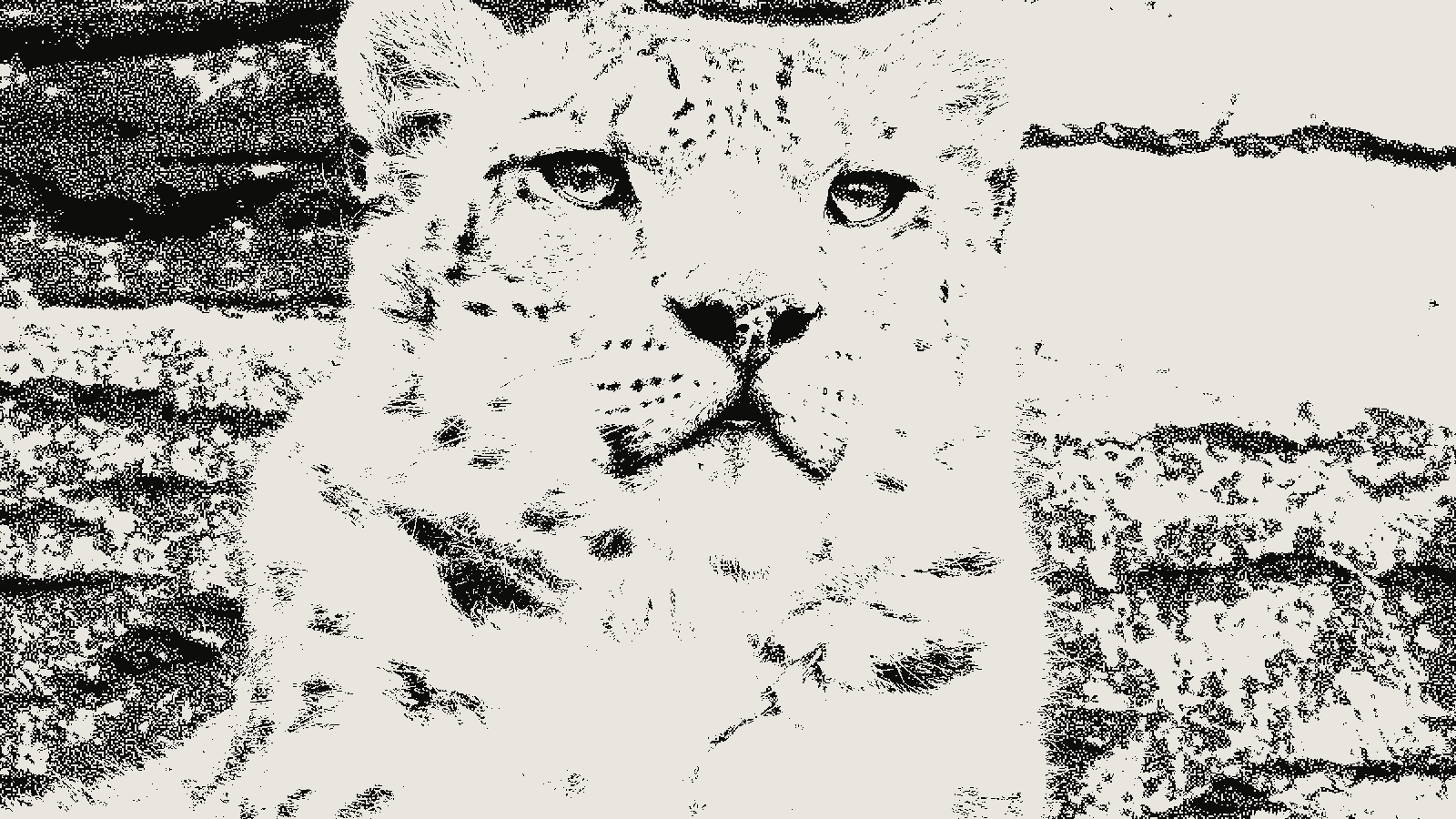 subject: snow leopard · look: mezzotint · grain 2px · threshold 0.50 · Image made with kott.io
What is mezzotint?
Mezzotint is a monochrome intaglio printmaking process in which an evenly roughened copper plate is worked from black toward white. The printmaker roughens the whole plate with a rocker, a curved steel blade set with fine teeth. Wikipedia gives between 45 and 120 teeth per inch for a modern rocker, which creates burrs in the copper as it advances.
The plate is then turned and rocked again, and the turn-and-rock cycle repeats until the surface is roughened evenly. At that point the plate holds ink everywhere and prints as a solid, velvety black. The picture doesn't exist yet. You have to take it out of the black.
The earliest known mezzotint is Ludwig von Siegen's 1642 portrait of Countess Amalie Elisabeth of Hanau-Munzenberg. The rocker is credited to Prince Rupert of the Rhine, who took the process to England.
How do you make tone in mezzotint?
You make tone by removing roughness. The printmaker selectively burnishes areas of the plate with metal tools: a scraper with a triangular end, and a burnisher with a smooth, round one. Smoothed areas hold less ink and print lighter. An area polished completely flat holds no ink and prints as white paper.
That's why mezzotint is described as working from dark to light. Siegen's original method ran the other way, roughening only the areas that should print dark, but the full-rock method became the standard one.
| Stage | What the printmaker does | What prints |
|---|---|---|
| Rocking | Roughens the whole plate evenly, turning it between passes | Solid black |
| Light scraping | Partly smooths an area, reducing pit depth | Mid grey |
| Burnishing flat | Polishes an area until it holds no ink | Paper white |
The texture that results is tiny pits that retain ink when the plate face is wiped clean. Because the pits are shallow, they flatten under the pressure of the press. Wikipedia notes that only a small number of top-quality impressions can be pulled before the tone starts to degrade, and that plates were often refreshed by rocking them again.
How is mezzotint texture different from a halftone grid?
Mezzotint texture is random, and a halftone is a grid. A halftone screen places dots on a fixed lattice at a fixed angle and changes their size to make tone. A mezzotint has no lattice. Tone comes from how many pits the printmaker left, and how deep, at each spot.
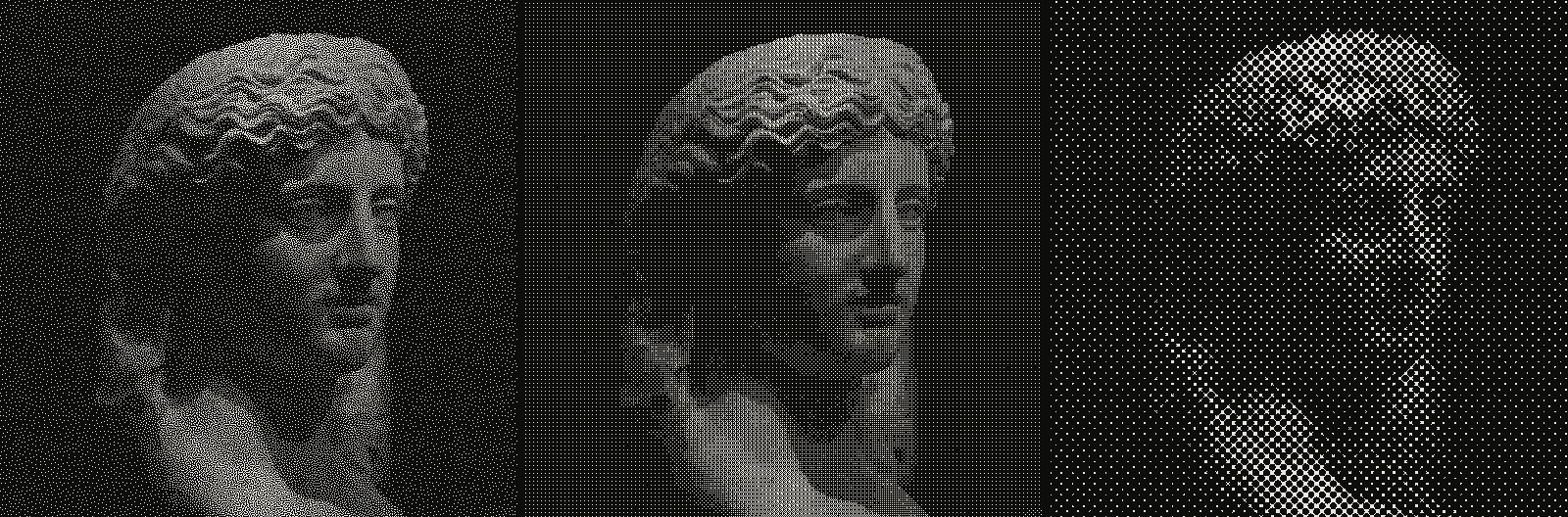 subject: greek statue · look: blue-noise / bayer / halftone · reading order: blue-noise threshold 0.50 1px / bayer 4x4 matrix threshold 0.50 1px / halftone cell 8px angle 0° shape circle · Image made with kott.io
That puts mezzotint closer to stochastic screening than to a rosette, though a printmaker's pits vary in depth and shape in a way a digital dot does not. It is also a different thing from the dots in stippling versus dithering, where each dot is a deliberate mark. In a mezzotint nobody places the pits. They are the byproduct of the rocker, and the artist only decides where to take them away.
For a designer, the practical difference is simple. A halftone shows a repeating pattern if you look closely. A mezzotint shows a soft, uneven grain with no repeat to find.
Why doesn't Photoshop's Mezzotint filter look like a mezzotint?
Because it is a different operation. Adobe describes the filter this way: "The Mezzotint filter redraws a layer as a random pattern of black-and-white areas in a grayscale image, or fully saturated colors in a color image." You pick a dot, line or stroke pattern from the Type menu in the dialog. It sits in the Pixelate group and works on the pixels in front of it.
A printmaker works the other way round. The plate starts as full black and the picture is carved out of it with a consistent tonal logic. A tutorial on Planet Photoshop opens by saying that the filter "won't give you a good mezzotint", and builds a substitute from grayscale, Unsharp Mask, Pointillize and a Threshold layer. Threshold changes every pixel to black or white, with no grey. A commenter on that page, who says they are a mezzotint printmaker, writes that the result "doesnt look like a mezzotint".
To be fair to Photoshop, the filter is a quick way to get a random black-and-white texture, and the Threshold route in that tutorial is a reasonable manual method. It just isn't the printmaking look the name promises. For a closer relative of what the Photoshop filter does, see threshold and toner grain.
How does kott's mezzotint effect approximate it?
kott® has a mezzotint effect in its dither category. It is a value-modulated random-dot grain with rich blacks: the darker the source pixel, the more of the cell is covered by ink, and which cells get a pit is decided by noise rather than a grid. It has three controls.
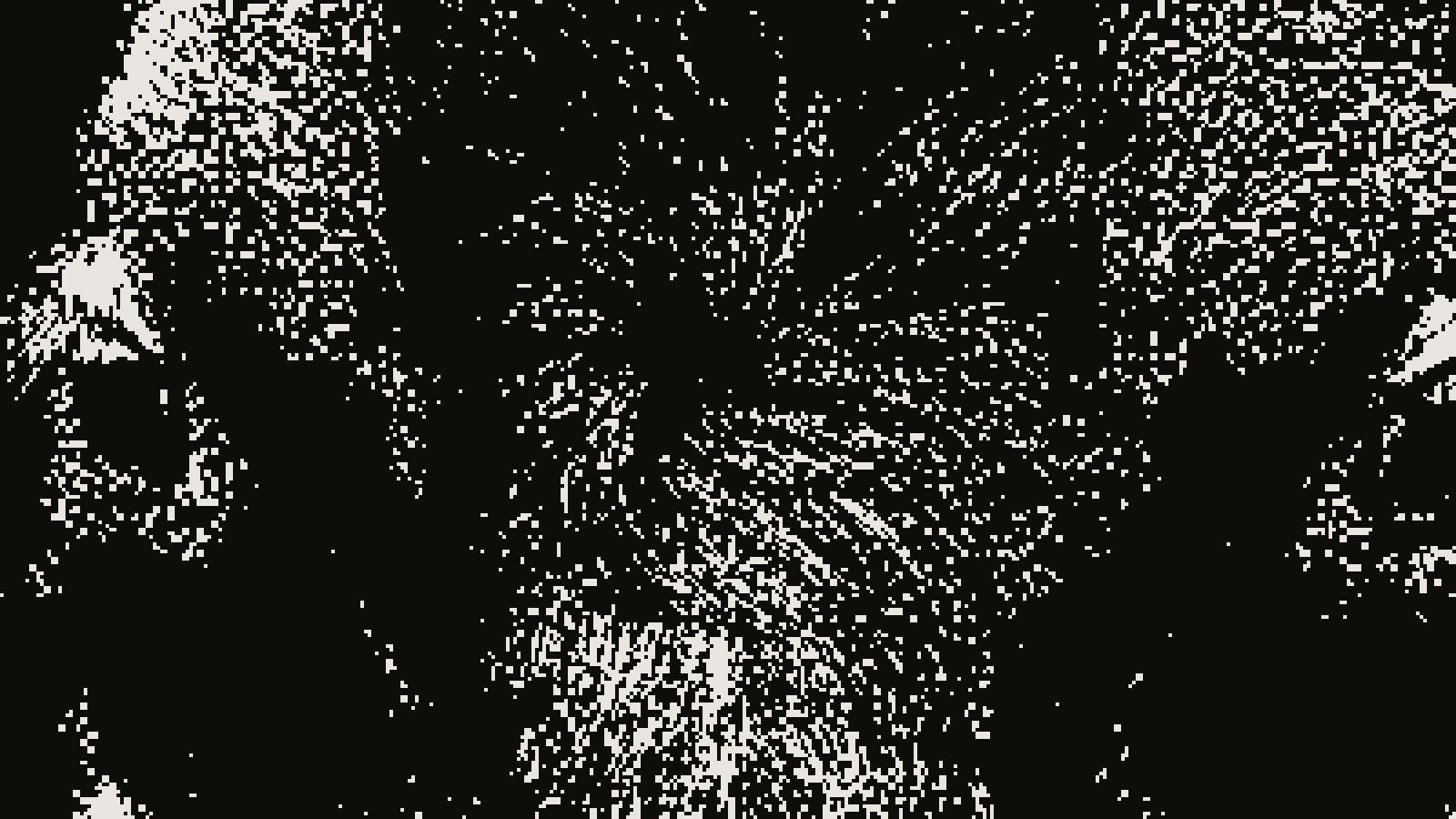 subject: bull · look: mezzotint · grain 2px · threshold 0.50 · centre crop enlarged 4x, nearest-neighbour · Image made with kott.io
| Control | Range | Default | What it does |
|---|---|---|---|
| Grain | 1 to 10 px | 2 | Size of each pit cell |
| Threshold | 0 to 1 | 0.5 | Shifts the whole image darker or lighter |
| Gamma | 0 to 1 | 0.5 | Reshapes how fast tone builds from light to dark |
Start at the defaults, grain 2, threshold 0.5 and gamma 0.5, and raise grain only if you plan to print large. Lower threshold lets more of the picture drop to paper white, and a higher one pushes it toward the solid black of a freshly rocked plate.
Two limits are worth knowing. The effect fades its ink to nothing in the brightest tones, so near-white highlights drop out to paper white. Bright fur or sky detail goes first, and you will want to check the highlights before you commit to an export. And kott doesn't simulate plate wear or the different depth of each pit, so it gives you the texture, not the whole process.
To try it on your own photo, open the mezzotint effect in the kott® studio.
Which should you use?
Use Photoshop's filter when you want a fast random black-and-white texture and do not care whether it reads as a print. Use a proper mezzotint look when you want deep blacks and a soft random grain. Use a halftone when you need a screen a press can reproduce.
Frequently Asked Questions
What is a mezzotint?
A mezzotint is a monochrome intaglio print made from a copper plate that is roughened evenly all over, then burnished or scraped smooth wherever the picture should print lighter.
Does Photoshop's Mezzotint filter make a real mezzotint look?
Not by Adobe's own description. The filter redraws a layer as a random pattern of black-and-white areas, which is a pixelate effect. A real mezzotint is a tonal image worked out of a solid black plate.
Is mezzotint the same as halftone?
No. Halftone builds tone from a regular grid of dots that change size. Mezzotint tone comes from random ink-holding pits with no grid at all.
Which kott effect is closest to mezzotint?
The mezzotint effect, a random-dot grain with three controls: grain size from 1 to 10 px, threshold and gamma.
Images in this article were made with kott.io.
02/ OUT
Every setting described above is a real control. Open your own image and sweep it.
All journal entries