Halftone vs Dithering: The Actual Difference in One Sentence
Halftone varies dot size on a fixed grid. Dithering fixes the dot at one pixel and varies which pixels are on. Where the two overlap, and which to pick.
01/ ARTICLE
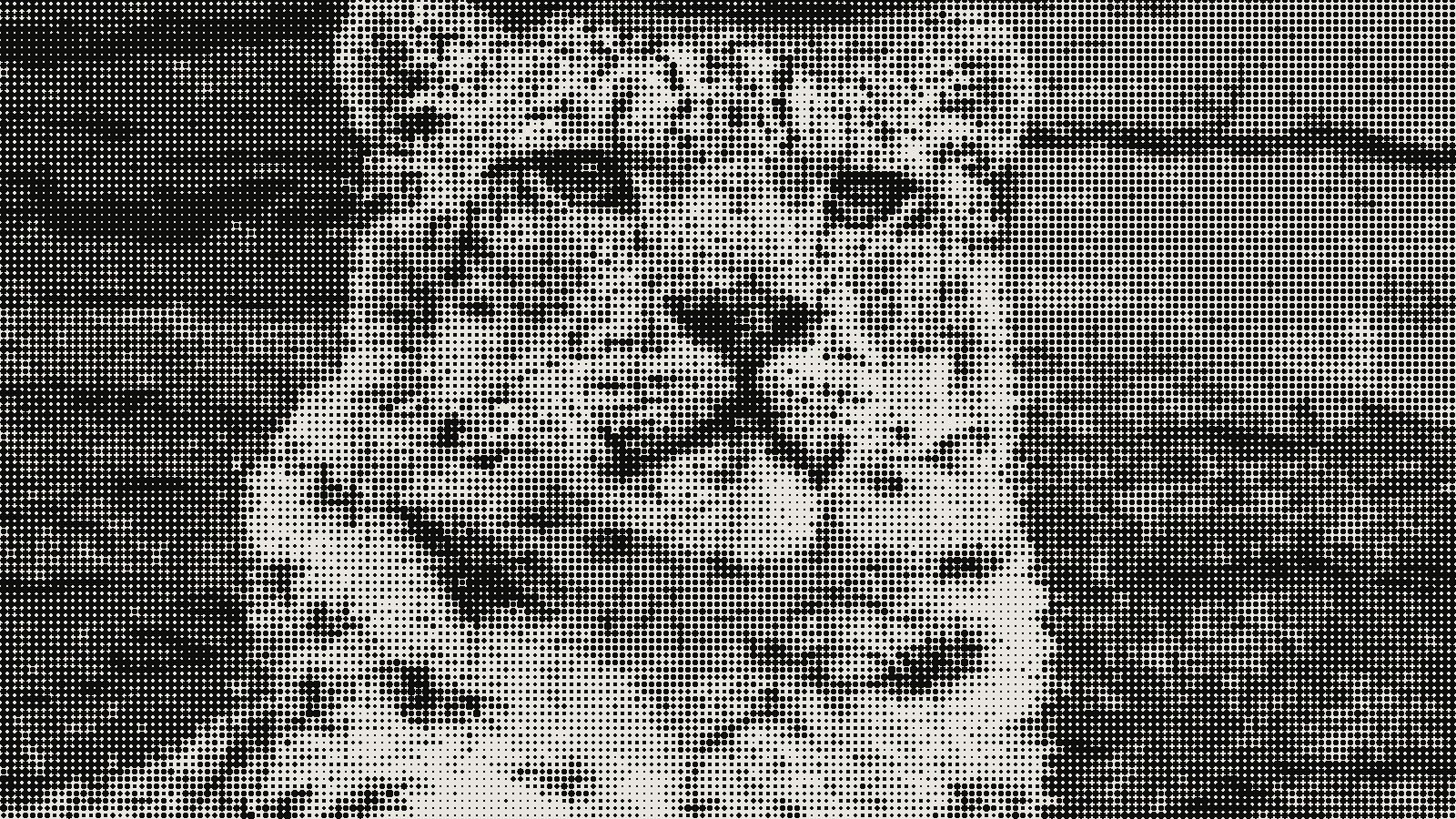 subject: snow leopard · look: halftone · cell 8px · angle 45° · shape circle · Image made with kott.io
What is the difference between halftone and dithering?
Halftone varies the size of dots on a regular grid. Dithering keeps the dot at one pixel and varies which pixels are on. That's the whole difference, and it's the convention most designers and printers work from.
Halftone is a screening method that simulates continuous tone with dots of changing size. Dithering is a method that simulates tones or colours a limited palette cannot show by mixing nearby pixels from the palette it does have. The two words overlap in places (more below), so treat the sentence as a rule of thumb, not a law.
What does halftone vary?
Halftone varies dot size, or dot spacing, to fake a smooth tone from a single ink. Wikipedia describes it as simulating continuous-tone imagery "through the use of dots, varying either in size or in spacing." The size version is amplitude modulation, and it "produces a regular grid of dots that vary in size." You know the look from newspaper photos and comic-book colour. Dark areas get big dots, light areas get small ones, and the dots sit at fixed positions.
A regular grid comes with two numbers a printer cares about. One is the screen frequency, measured in lines per inch (LPI). The other is the screen angle, the direction the rows of dots run. In kott's halftone effect the matching controls are cell and angle, and the test images on this page use cell: 8 and angle: 45.
The spacing version is frequency modulation, which the same article says is "also known as stochastic screening." We cover that in stochastic screening versus halftone.
What does dithering vary?
Dithering varies which pixels are on, and the pixel never changes size. Wikipedia says it is used "to create the illusion of color depth in images on systems with a limited color palette," and that it is also used "to randomize quantization error, preventing large-scale patterns such as color banding." A grey the screen can't show becomes a mix of black and white pixels, and your eye blends them back to grey.
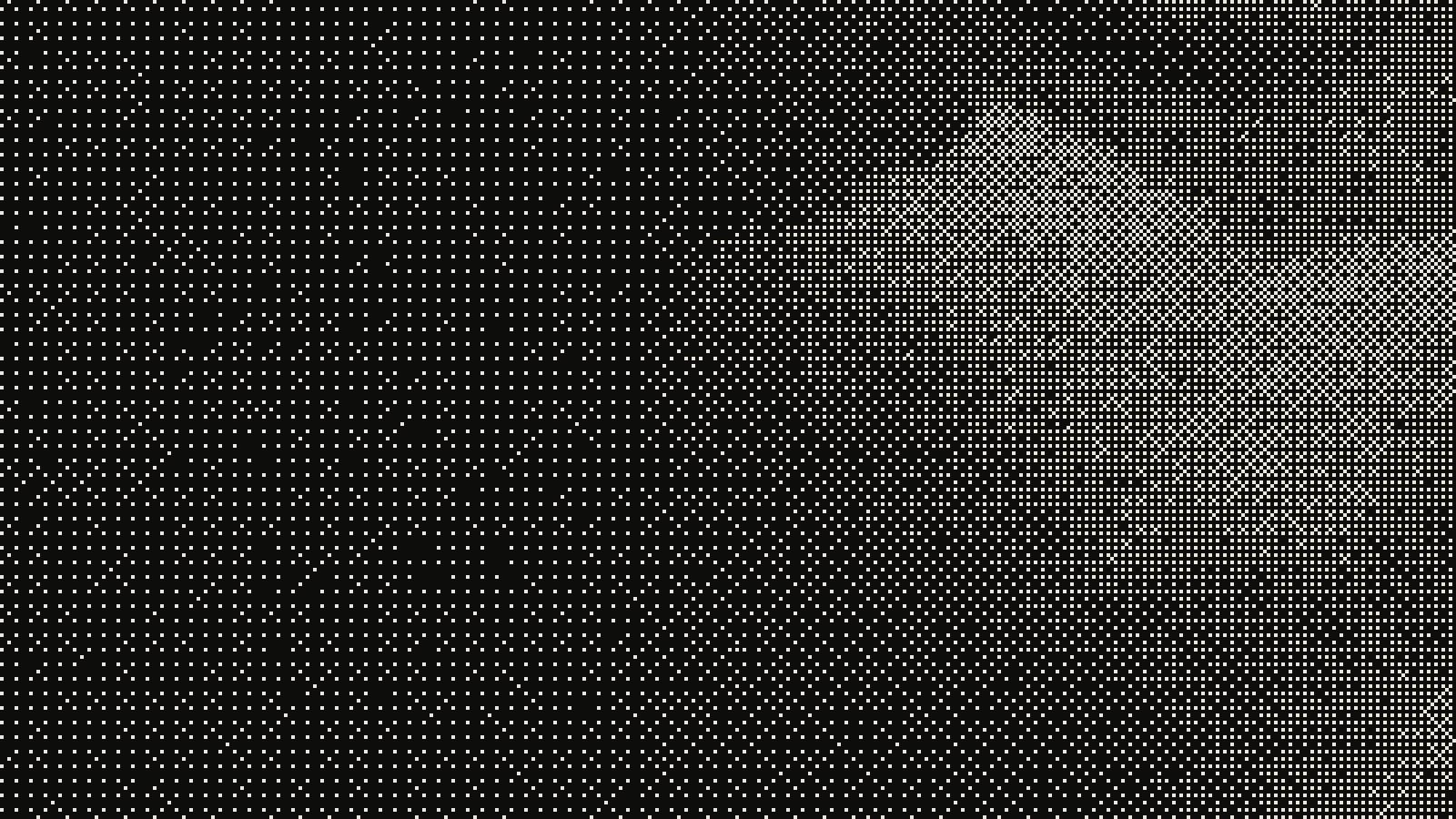 subject: greek statue · look: bayer · 8x8 matrix · threshold 0.50 · 1px · centre crop enlarged 4x, nearest-neighbour · Image made with kott.io
There are two families. Ordered dithering compares each pixel to a fixed threshold pattern. Per Wikipedia, "neighboring pixels do not affect each other," which is why the result is stable across animation frames. The Bayer matrix is the common example, and the choice of size is covered in 4x4 versus 8x8 Bayer. Error diffusion works differently: each pixel's rounding error is passed on to its neighbours. Floyd-Steinberg is the best-known case.
If you want the version with scattered dots and no visible grid, see stippling versus dithering.
Where do halftone and dithering overlap?
They overlap, mostly in digital print, and the vocabulary is loose there. Wikipedia notes that "the term dithering is sometimes used interchangeably with the term halftoning," and that clustered-dot halftone matrices are "a specific form of ordered dithering" that resembles newspaper screens. The halftone article goes the other way and classifies digital halftoning algorithms as "ordered dithering, error diffusion, and optimization-based methods."
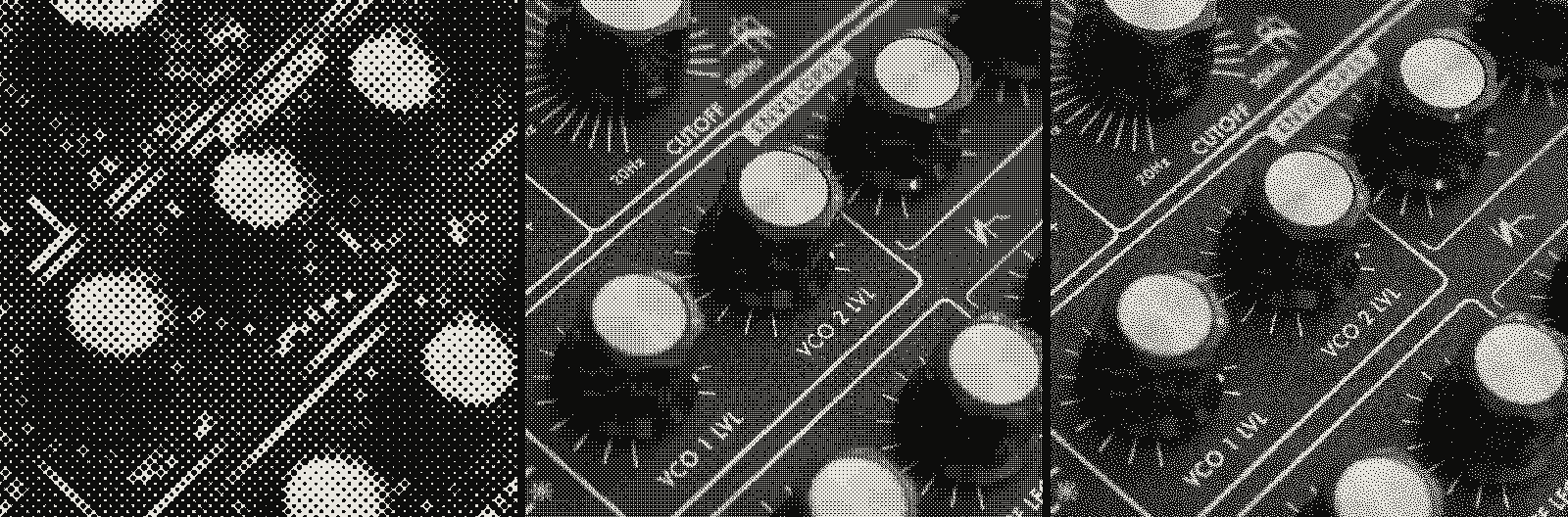 subject: synth knobs · look: halftone / bayer / blue-noise · reading order: halftone cell 8px angle 0° shape circle / bayer 4x4 matrix threshold 0.50 1px / blue-noise threshold 0.50 1px · Image made with kott.io
So a clustered-dot screen on a computer is both: it is dithering by method and halftone by look. Frequency-modulated halftone is also the same idea as dithering, fixed-size dots with varying placement. When someone uses one word for the other, they are usually pointing at one of these shared cases.
| Halftone (amplitude modulated) | Dithering | |
|---|---|---|
| What varies | Dot size | Which pixels are on |
| Dot size | Variable | Fixed at one pixel |
| Layout | Regular grid with an LPI and an angle | Threshold matrix or error feedback |
| Typical home | Press, screen print, riso | Screens, limited palettes, 1-bit files |
| Settings that matter | LPI, screen angle | Algorithm, matrix size, threshold |
| Where it breaks | Moiré when screen angles clash | Pattern crawl on motion, damage from scaling and lossy compression |
The grid image above runs the same snow-leopard photograph through a halftone, a Bayer pattern and blue-noise dots, so you can see the three layouts on one source.
Which one should you use?
Use halftone when the file goes to a press, and dithering when it stays on a screen. A regular halftone with a stated LPI and angle gives a printer a known target. Scattered single-pixel dots ask the press to hold the smallest mark you can draw, and many processes can't do that reliably. The reverse holds on a display: the pixel is already the smallest dot, so it cannot change size, and tone has to come from which pixels are on.
Photoshop and other print-oriented tools are the better choice when you need a spot-colour separation with press-specific screen angles worked out for you. kott is the quicker way to compare the two looks on one photograph at the same settings. To run your own image through both, open the halftone effect in the kott® studio.
Frequently Asked Questions
Is halftone a type of dithering?
Sometimes. Clustered-dot halftone matrices are a specific form of ordered dithering, and the two words are used interchangeably in digital printing. In the usual convention, though, halftone means dots that change size on a grid and dithering means fixed-size pixels switched on or off.
Which is better for a press, halftone or dithering?
A regular halftone with a stated LPI and screen angle is the safer file for screen printing and riso, because the press only has to reproduce dots of varying size on a known grid. Scattered single-pixel dots depend on the press holding the smallest dot you can draw.
Which is better for a 1-bit screen image?
Dithering. On a screen the pixel is the smallest dot available, so the dot cannot change size. Tone has to come from which pixels are on.
Is stochastic screening the same as dithering?
It is the print-side name for frequency-modulated halftone, where dot spacing varies and dot size stays fixed. That is the same idea as dithering.
Images in this article were made with kott.io.
02/ OUT
Every setting described above is a real control. Open your own image and sweep it.
All journal entries