How to Add a Dither Shader in Blender for Pixel Art Renders
Blender has no built-in dither shader. Build one with Shader to RGB and a Bayer matrix, or the compositor's Pixelate node, with the exact settings here.
01/ ARTICLE
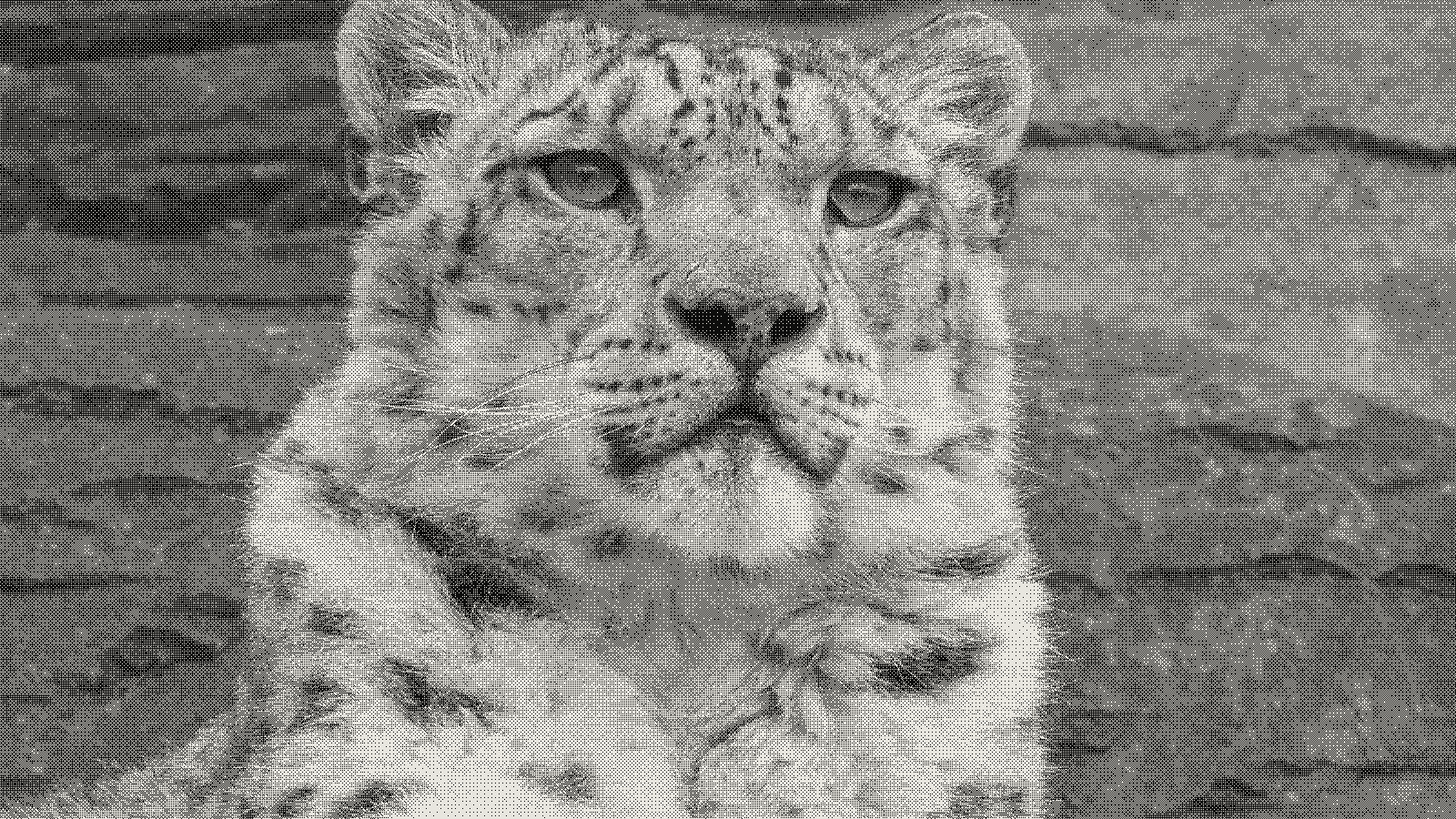 subject: snow leopard · look: bayer · 8x8 matrix · threshold 0.50 · 1px · Image made with kott.io
How do I add a dither shader in Blender for pixel art renders?
Blender ships no single "dither" toggle. You build the look yourself, one of two ways: a shader-node material in EEVEE (Shader to RGB into a patterned texture into a Color Ramp), or a compositor chain built from the Pixelate node and a pair of Scale nodes. Both get you a true ordered-dither pixel-art pass. Which one you reach for depends on whether you need it live in the viewport, or just on a finished render.
Below: the node build, the Bayer matrix math underneath it, the camera and resolution setup that stops the pattern going blurry, the compositor alternative, and the failure modes that trip people up most.
What is a dither shader, and how is it different from a dither filter?
A dither shader in Blender is a material or compositor node graph that fakes extra tonal steps by scattering a fixed threshold pattern across a posterized image, instead of applying dithering as a single click filter. There's no equivalent of Photoshop's one-button dithering here. Every piece of the effect, from posterizing to patterning, gets wired by hand.
Worth clearing up early: a "Bayer filter" and a "Bayer matrix" aren't the same thing, even though people often search for one while meaning the other. A Bayer filter is the physical RGGB colour filter array sitting on a camera sensor. One 2014 Blender Artists thread actually simulated that sensor-level filter in the compositor, for machine-vision testing, by masking red, green and blue channels in a 2x2 tile pattern and demosaicing them back together. Different problem from what this article covers. A Bayer matrix, the subject here, is an ordered-dithering algorithm: a fixed threshold grid you compare pixel values against to fake extra tones from a reduced palette.
Built this kind of threshold-pattern dither before in a real-time engine? The logic will look familiar: Godot's dither shader solves the same screen-space patterning problem, just inside a different node system.
How do I build a dither shader with nodes in EEVEE?
The node chain
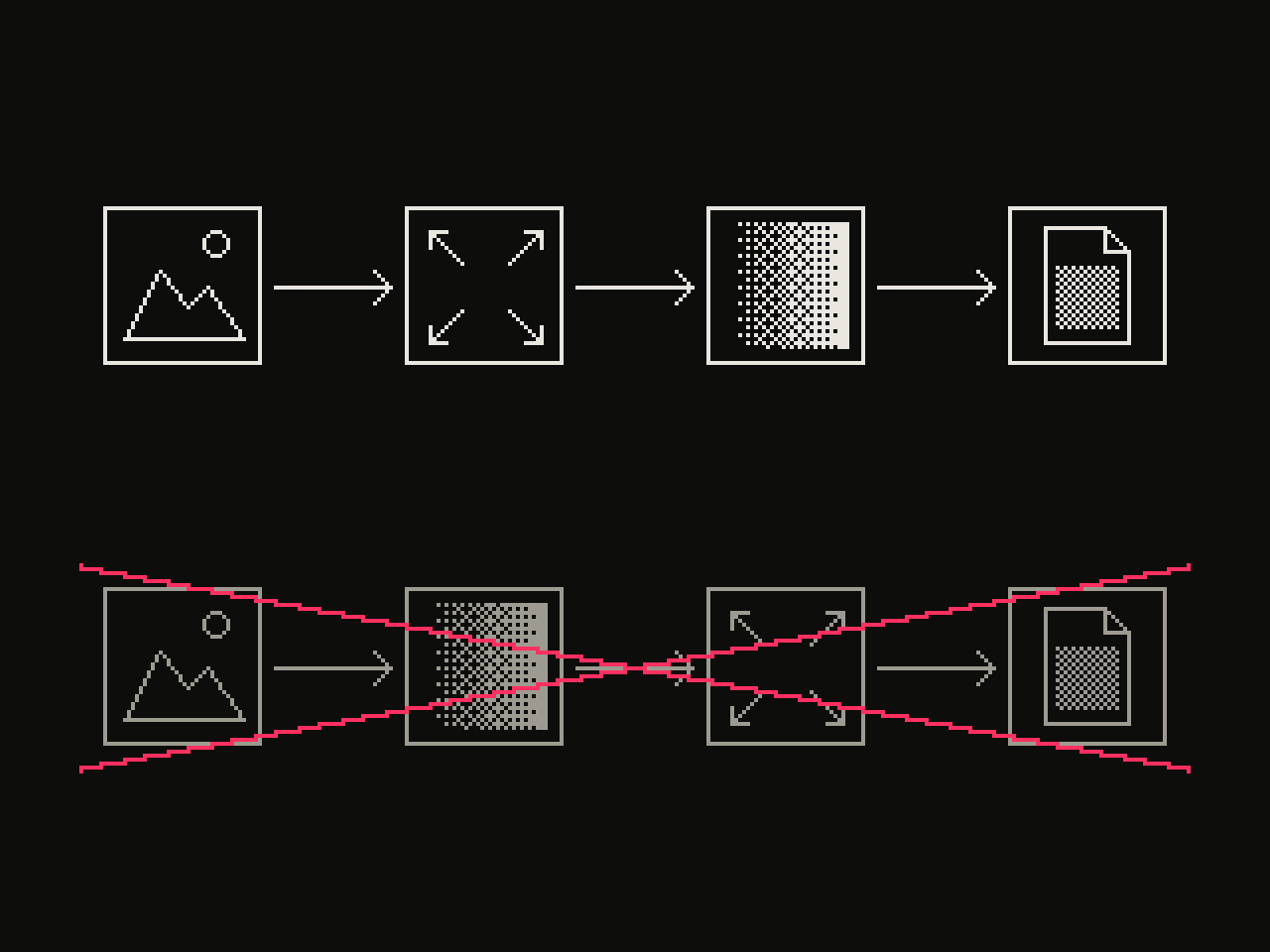 diagram · left to right: source, resize, dither, output; below, crossed out: source, dither, resize, output · seed 7
The core technique, confirmed across multiple Blender Artists threads, chains three nodes. A Shader to RGB node flattens your shading into a 2D-style pass. A patterned texture feeds it a dither pattern. A Color Ramp posterizes the result into bands. Build it as a node group and place it at the end of your material, so you can drop it into other materials later and update every instance from one place.
For the patterned texture, a Voronoi Texture works, but only after you change its Distance Metric from Euclidean to Manhattan. Euclidean gives you rounded blobs. Manhattan gives you the square dot cells that actually read as pixel art. Some builds skip compositing the texture after shading entirely and feed it into the shader's Normal input instead, which reacts to light direction and can match a reference image more closely.
Using a true Bayer matrix instead of Voronoi
Voronoi-with-Manhattan is an approximation, not the real thing. Blender's shader nodes have no native tiled-matrix-lookup node, so for a literal Bayer pattern, one shared EEVEE material packs the actual Bayer tiles as small images instead, at 2x2, 3x3, 4x4 and 8x8, and swaps between them as the texture input. That file also ships palette presets: three options reduce the image to 16 total colors, a fourth collapses it to pure black and white. Fewer colour bands reads as more aggressively dithered, since each band has to cover a wider range of original tone.
What is the Bayer matrix, and why 8x8?
A Bayer matrix is a fixed grid of threshold values, tiled across the image, that each pixel's brightness gets compared against to decide which of a limited set of output levels it becomes. The canonical 8x8 version, from a reference GLSL implementation, runs 0 to 63:
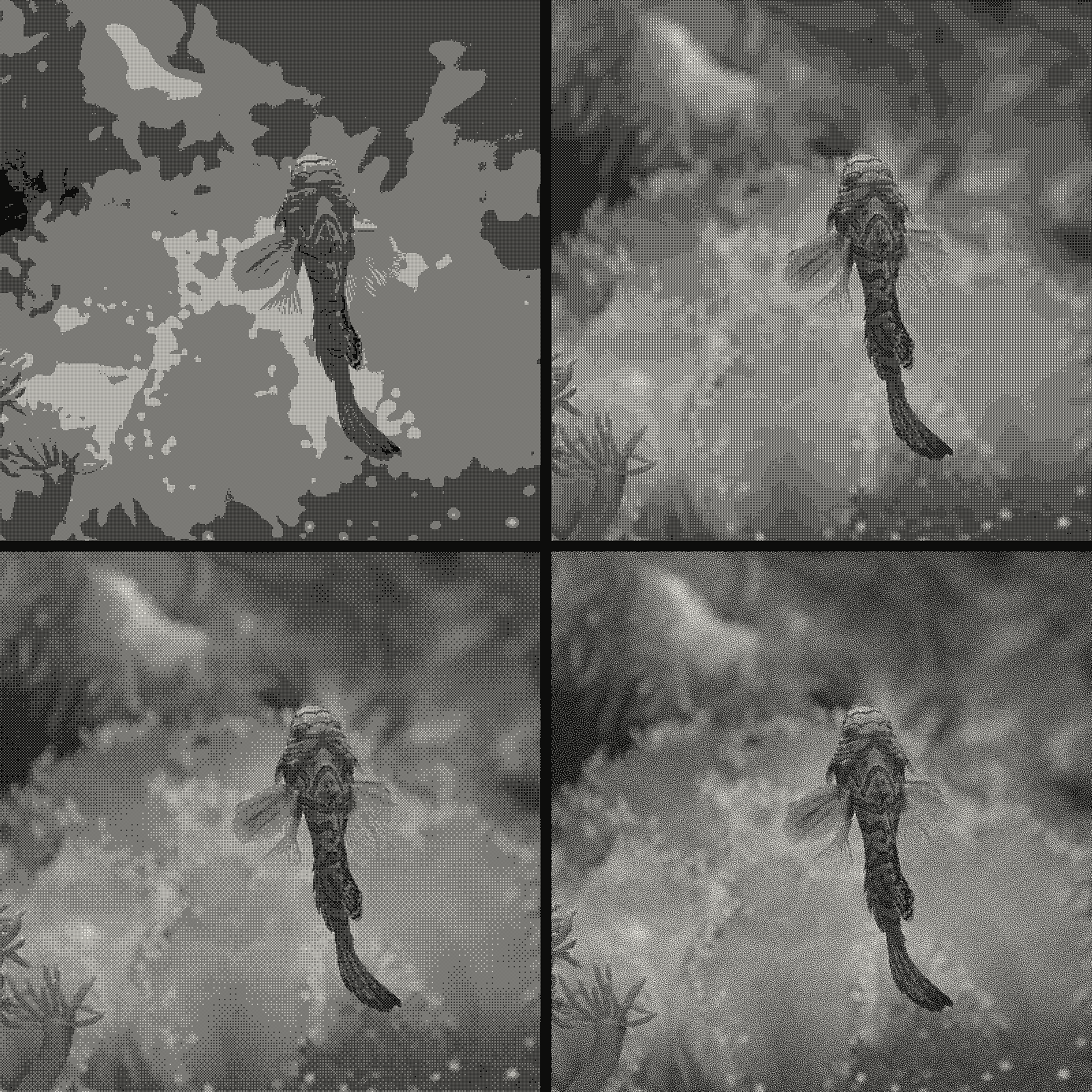 subject: mandarin fish · look: bayer · threshold 0.50 · 1px · reading order: 2x2 matrix / 4x4 matrix / 8x8 matrix / blue noise matrix · Image made with kott.io
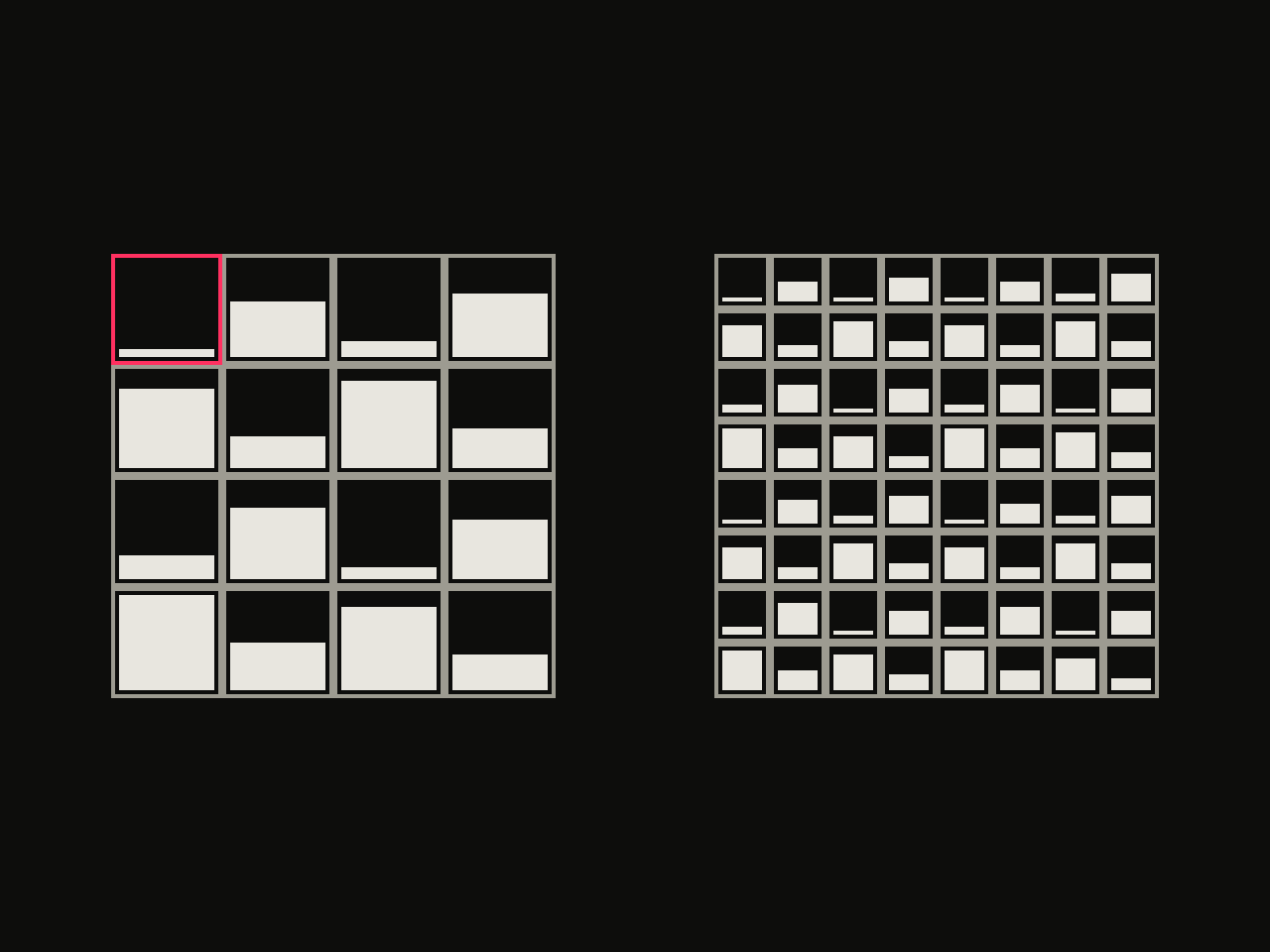 diagram · 4x4 and 8x8 Bayer threshold matrices; bar height is each cell's threshold rank; outlined cell: the first threshold · seed 42
 0 32  8 40  2 34 10 42
48 16 56 24 50 18 58 26
12 44  4 36 14 46  6 38
60 28 52 20 62 30 54 22
 3 35 11 43  1 33  9 41
51 19 59 27 49 17 57 25
15 47  7 39 13 45  5 37
63 31 55 23 61 29 53 21
The math: scale each pixel's channel value into the 0-63 range, look up a threshold from the matrix at that pixel's (x mod 8, y mod 8) position, then compare. limit = (matrix_value + 1) / 64, and the channel outputs the low level if it's under that limit, the high level otherwise. Apply that per channel and you get exactly what Shadertoy's Bayer dithering reference shows too. It's the same math the EEVEE node builds above are approximating with Voronoi or packed images, since Blender has no literal matrix-lookup node to do it directly.
Smaller matrices, 2x2 or 4x4, produce a coarser, more visible dot pattern. 8x8 reads closer to a photographic gradient at a glance, because there are more distinct threshold steps before the pattern repeats.
| Method | Updates live in viewport | Reacts to lighting | Best for | Setup effort |
|---|---|---|---|---|
| Shader-node material (Shader to RGB + texture + Color Ramp) | Yes | Yes | Animated or game-style assets, iterative look development | Medium — build once, reuse as a node group |
| Compositor (Pixelate + Scale + Color Ramp) | No, render-time only | No | One-off stills, applying the look to an existing render | Low — a handful of nodes, no material edits |
| Compositor jitter (two Lens Distortion nodes) | No, render-time only | No | A quick noisy texture, not a true ordered pattern | Low, but approximate only |
How do I set up the camera and resolution for clean pixel dithering?
Two settings decide whether your dither cells come out as crisp squares or a blurry mess, per the same EEVEE material thread. Lock the camera to the viewport at exactly 1:1 zoom first. Anything else introduces moiré interference between the dither pattern and the display scaling. Then make the final render resolution match the camera and viewport resolution exactly. Mismatch either one and the dither cells stop being square pixels.
One cosmetic-only artifact to expect: along an object's silhouette in the 3D viewport, pixels will show partially blended values, because the viewport samples sub-pixel coverage along edges. This disappears in the actual render. The object's edge there cuts cleanly through whole dither cells instead of blending them.
How do I dither a render in the compositor instead?
Rather not touch materials at all? The compositor route works on any finished render. The order matters: quantize first, then pattern. Reduce the number of available colors, the posterize half of dithering, before you apply any spatial pattern. Pattern-first-then-quantize doesn't give you the same result.
For the pattern step, the Pixelate node has one property, Pixel Size, controlling how large each output block reads. On its own, though, Pixelate only changes blockiness at your current resolution. It doesn't downscale the image. For a real low-resolution pixel-art pass, pair it with Scale nodes on either side: scale down, pixelate, scale back up.
There's a faster, less accurate alternative for a dither-like texture: chain two Lens Distortion nodes, enable Jitter on one, keep Distortion and Dispersion at zero on both, and blend the jittered pass back over the clean one with a Mix node to control strength. It reads as noisy and textured, but it isn't a true ordered pattern. Skip it if you need a specific, reproducible Bayer look.
Why does my dither pattern look wrong (moiré, blur, flat midtones)?
Moiré or blurry edges. Almost always a resolution mismatch between the camera, the viewport, and the final render output. Go back to the camera and resolution setup above and check all three match.
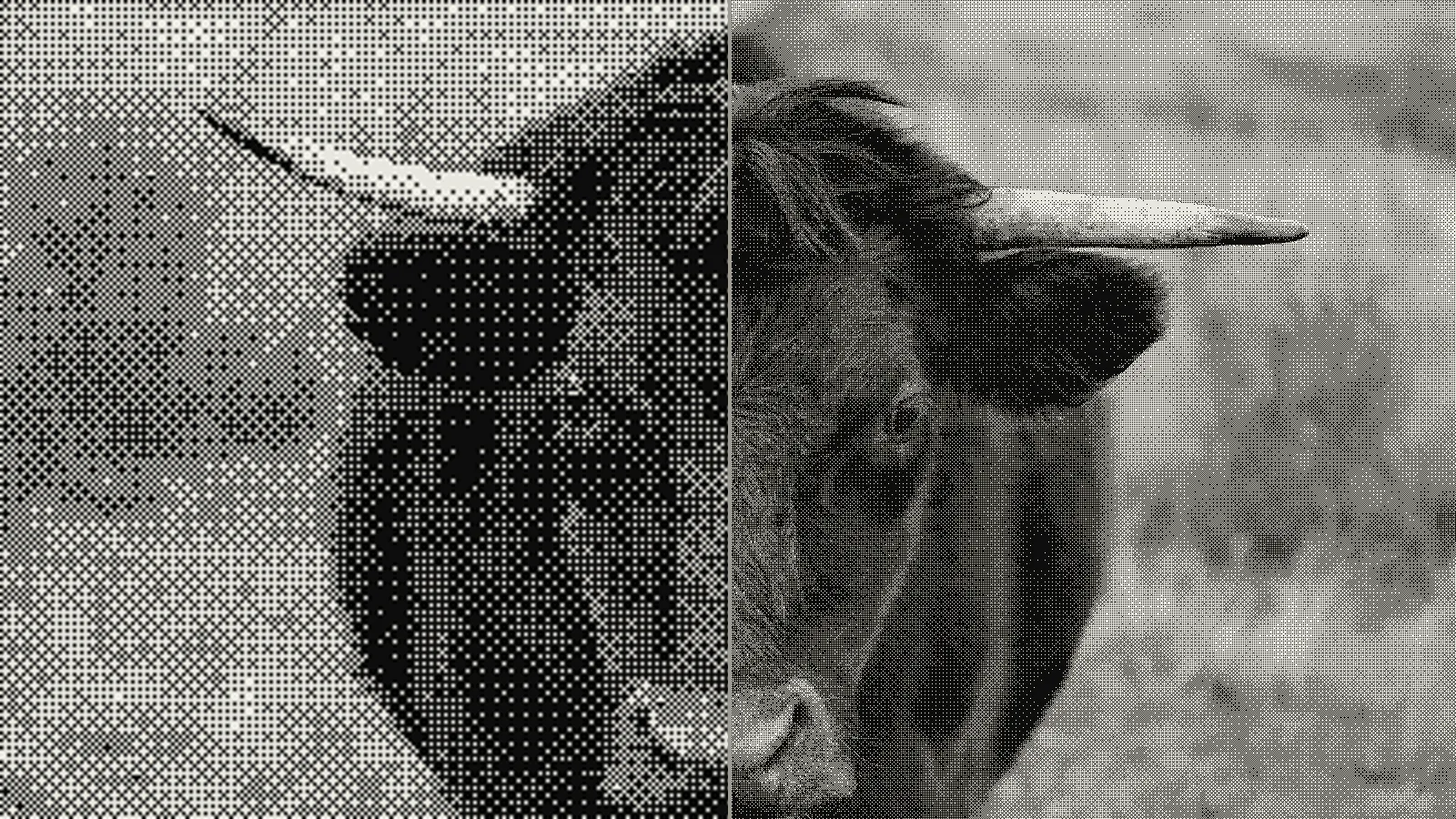 subject: bull · look: bayer · 8x8 matrix · threshold 0.50 · 1px · left: dithered at 400x224 then bicubic-upscaled to 1600x900 · right: dithered at 1600x900 · Image made with kott.io
Flat or muddy midtones. Either the quantize step got skipped before the pattern was applied, or there are too many colour bands for the matrix size to read as dithered rather than just slightly banded. Drop the Color Ramp's band count, or step up to a larger matrix, 8x8 instead of 4x4, to buy back gradation.
Search results that don't match what you're building. If "bayer" keeps turning up camera-sensor content instead of dithering content, you're hitting Bayer-filter material instead of Bayer-matrix material. See the definition section above.
Chasing something closer to a blue-noise or stippled look than a visible ordered grid? The matrix approach here isn't it. See blue-noise and stippling patterns for that algorithm family instead.
Conclusion
Two real, manual paths exist in stock Blender: a shader-node material for EEVEE, or a compositor chain built from Pixelate and Scale nodes. Both require you to hand-build the posterize-then-pattern logic yourself. Blender has no toggle for it.
Where this breaks down: swapping matrix sizes, palettes, or algorithms mid-project means rewiring the node graph or the compositor chain each time. There's no live switcher between Bayer sizes, Floyd-Steinberg, Atkinson and blue-noise on the same image. That's exactly what kott's bayer dither is for, if you're iterating across algorithms rather than committing to one build. Working off a tablet instead of a 3D viewport? Dithering pixel art by hand in Procreate is the handheld equivalent of the same idea.
Frequently Asked Questions
Does Blender have a built-in dither shader node?
No. Blender has no single node called "dither" or a native tiled Bayer-matrix lookup. You build the effect yourself: either a Shader to RGB node feeding a patterned texture and a Color Ramp inside a material (EEVEE), or a Pixelate node plus Scale nodes in the compositor. Both are manual builds, not toggles.
Which is better for pixel art: the shader-node method or the compositor method?
The shader-node method updates in real time in the viewport and reacts to lighting, which suits look development and animation. The compositor method is simpler to set up, applies after the fact to any render, and is easier to combine with a true resolution downscale for crisp square pixels. For a one-off still, the compositor route is faster; for an animated or game-style asset you're iterating on, the shader node pays off.
Why does my dithered render look blurry or moiré instead of crisp pixels?
Almost always a resolution mismatch. The camera has to be locked to the viewport at exactly 1:1 zoom, and the final render resolution must match that camera/viewport resolution exactly. Any scaling after the dither pattern is applied, in the browser, in a video export, or from a non-matching render size, blurs the hard pixel edges and produces moiré.
Is a Bayer filter the same as a Bayer matrix for dithering?
No, and the shared name causes real confusion. A Bayer filter is the physical RGGB colour filter array on a camera sensor. A Bayer matrix is an ordered-dithering algorithm: a fixed threshold grid (commonly 4x4 or 8x8) you compare each pixel against to fake extra tones with a limited palette. This article is about the second one.
What's the minimum Blender version for this workflow?
Shader to RGB and the Voronoi texture's Manhattan distance metric are both standard in modern Blender 4.x EEVEE. The compositor Pixelate node has been stable across Blender 3.x and 4.x. Older 2.8x files will work with the same node names but may need the newer EEVEE Next renderer to match current screenshots exactly.
Images in this article were made with kott.io.
02/ OUT
Every setting described above is a real control. Open your own image and sweep it.
All journal entries